Hello, Good Day!
Cristian Amparo
Front-End Developer
I build responsive, high-performance web apps with React, Vue, Nuxt and Next JS.





About Me

Professional Front-End Web Developer
Hi, I'm Cristian, a Front-End Developer with two years of professional experience building responsive, high-performance web applications. I work mainly with ReactJS, Vue.js, Nuxt.js and Next.js, and I hold a BS in Information Technology from Cavite State University.
I enjoy translating design requirements into functional interfaces, integrating REST APIs, and troubleshooting tricky UI issues across devices. I'm always sharpening my skills and looking for a team where I can keep shipping work that makes a real difference.
- BS Information TechnologyCavite State University
- General Trias CavitePhilippines
- 2 years experienceProfessional front-end work
- React · Vue · Nuxt · NextMain stack
Work Experience
Creative Web Developer
August 2024 – October 2026Synermaxx Corporation
- Designed and developed scalable web applications utilizing Nuxt.js, Vue and ReactJS, aligning UI components with design and branding standards.
- Integrated frontend applications with backend services via REST APIs to ensure seamless data flow and functionality.
- Troubleshot and resolved frontend bugs, ensuring cross-browser compatibility and mobile responsiveness.
- Implemented technical SEO standards and best practices to improve overall website performance and user experience.
Web Developer Intern
March 2024 – June 2024Adsvanced Media Tech IT Solution
- Developed responsive, accessible, and highly performant user interfaces from scratch using TailwindCSS, HTML, CSS, and JavaScript.
- Conducted rigorous frontend testing and debugging to resolve cross-browser and cross-device compatibility issues efficiently.
- Developed a fully functional e-commerce platform using WordPress (WooCommerce), managing precise plugin integration.
My Skills
Front-End Development
I build responsive, high-performance interfaces and turn design requirements into functional, polished components.
 React
React Vue.js
 Nuxt.js
 Next.js
 Tailwind CSS
Back-End Development
I build the APIs and databases behind my projects and integrate REST APIs into the front end.
 Node.js
 Express
 MySQL
MySQL
Design & Editing
I create mockups, graphics and simple motion assets, and edit images and video for my projects.
 Figma
Figma Canva
Canva Photoshop
 Illustrator
 Animate
Microsoft Office
I use Word, Excel and PowerPoint for documentation, spreadsheets and presentations.
 Word
Word Excel
Excel PowerPoint
Soft Skills
The habits that make me easy to work with on a team.
- Adaptability
- Teamwork
- Communication
- Time Management
- Decision-Making
- Problem Solving
My Recent Projects
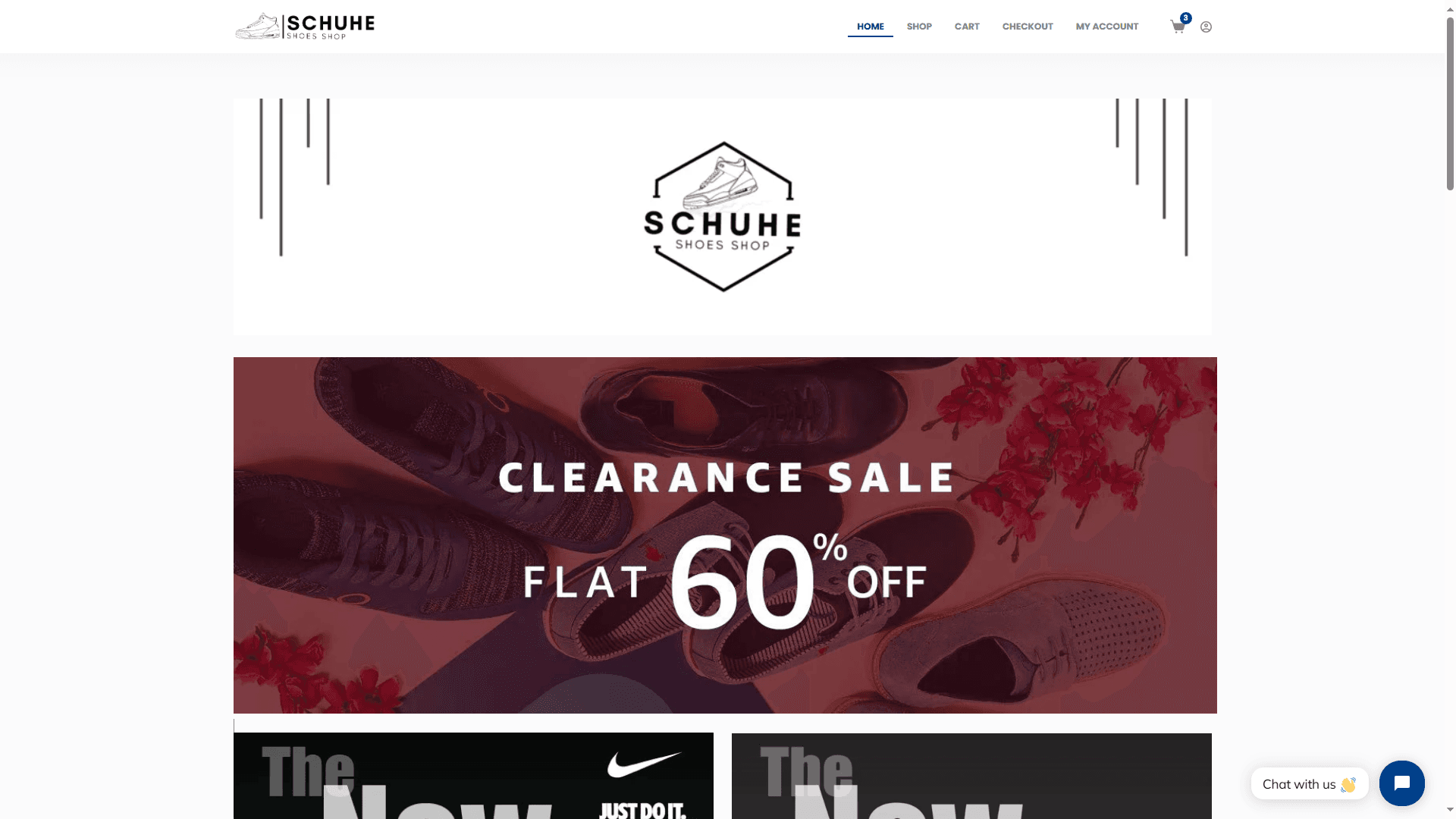
Schuhes Online Shop
I developed an online store named "Schuhes - Shoes Store" using WordPress and WooCommerce, creating a robust and efficient e-commerce platform. The project leverages various plugins, including Blocksy, to enhance the site's functionality and design. Utilizing all the capabilities of WooCommerce, the store features a comprehensive shopping experience with dedicated sections for product browsing, cart management, checkout, and user accounts. The layout is designed to be intuitive and user-friendly, ensuring customers can easily navigate through products and complete their purchases smoothly. Additionally, I configured the payment methods to include Stripe, providing a secure and reliable option for transactions. To further enhance the shopping experience, I integrated coupon functionalities and multiple shipping methods, catering to diverse customer needs and preferences. Moreover, I integrated a chat feature using the Tidio plugin, enabling real-time customer support and engagement directly on the site. These features are seamlessly incorporated into the store, ensuring that Schuhes - Shoes Store is not only visually appealing but also highly functional, offering a smooth and satisfying shopping experience for all users.
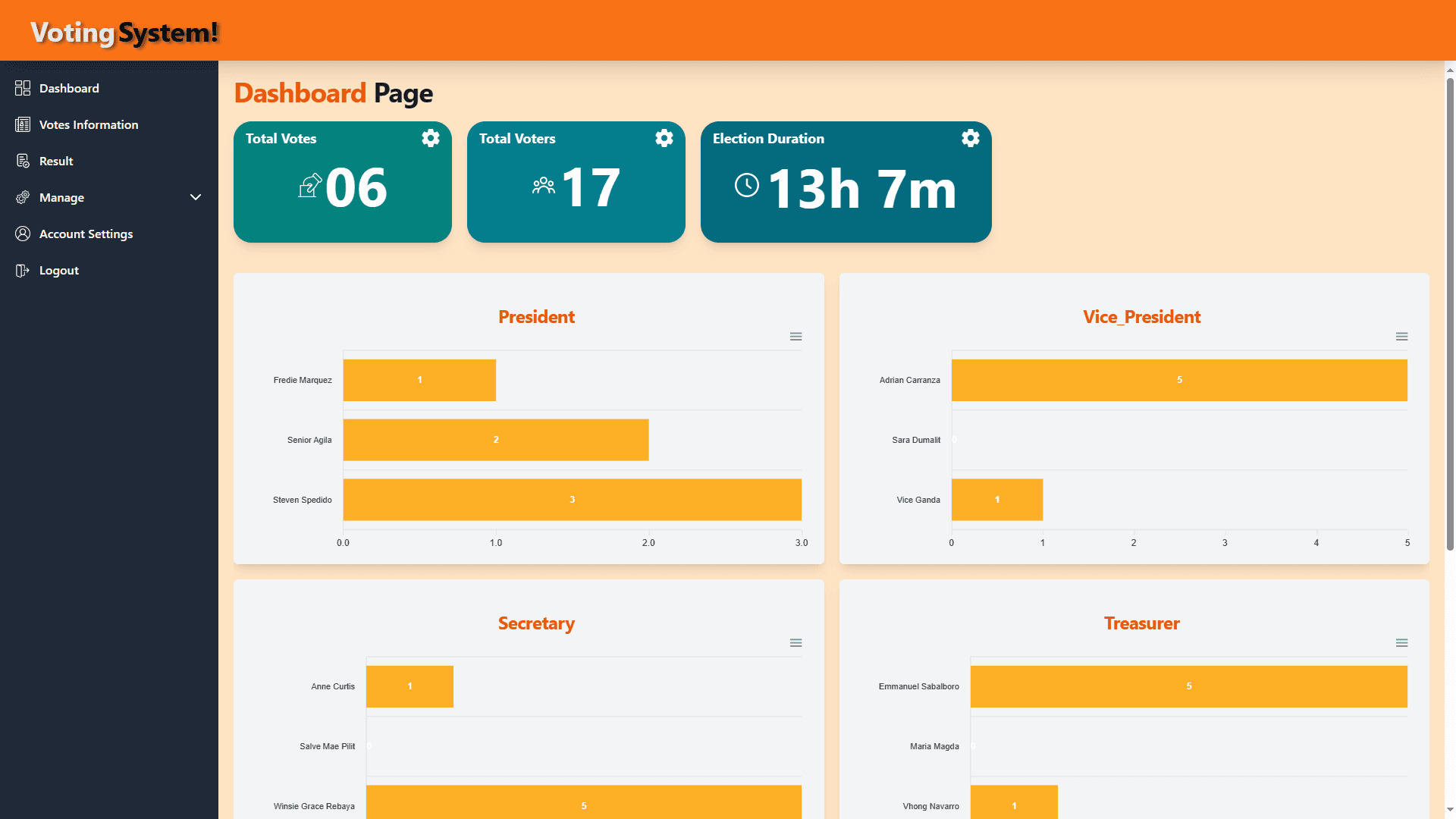
Voting Management System
I've created a Voting Management System tailored for organizational elections, aiming to make the whole process easy. The system has two main parts: one for voters and another for administrators overseeing the elections. In User side, voters start with a friendly login page for secure access. Once logged in, they can check out a detailed page with info about each candidate, like their position, party list, pictures, plans, and qualifications. Voting happens on a special page where users can cast their votes. What's cool is they can change their minds until the election ends. If you're not signed up yet, there's a simple process to create an account quickly and securely. In administrator side, the administrators get a secure login page for access to different admin pages. These pages handle things like managing candidates, overseeing users, a detailed dashboard, and account settings. Security is a priority, so we've put strong measures in place for both the frontend and backend. Technically, the system is solid, built on the MERN stack with MySQL for managing data. ReactJS powers the look, styled with Tailwind CSS, and there are extra tools for dynamic graphs. if you want to access the admin side, you can use "admin@gmail.com" for username and "admin" for password.
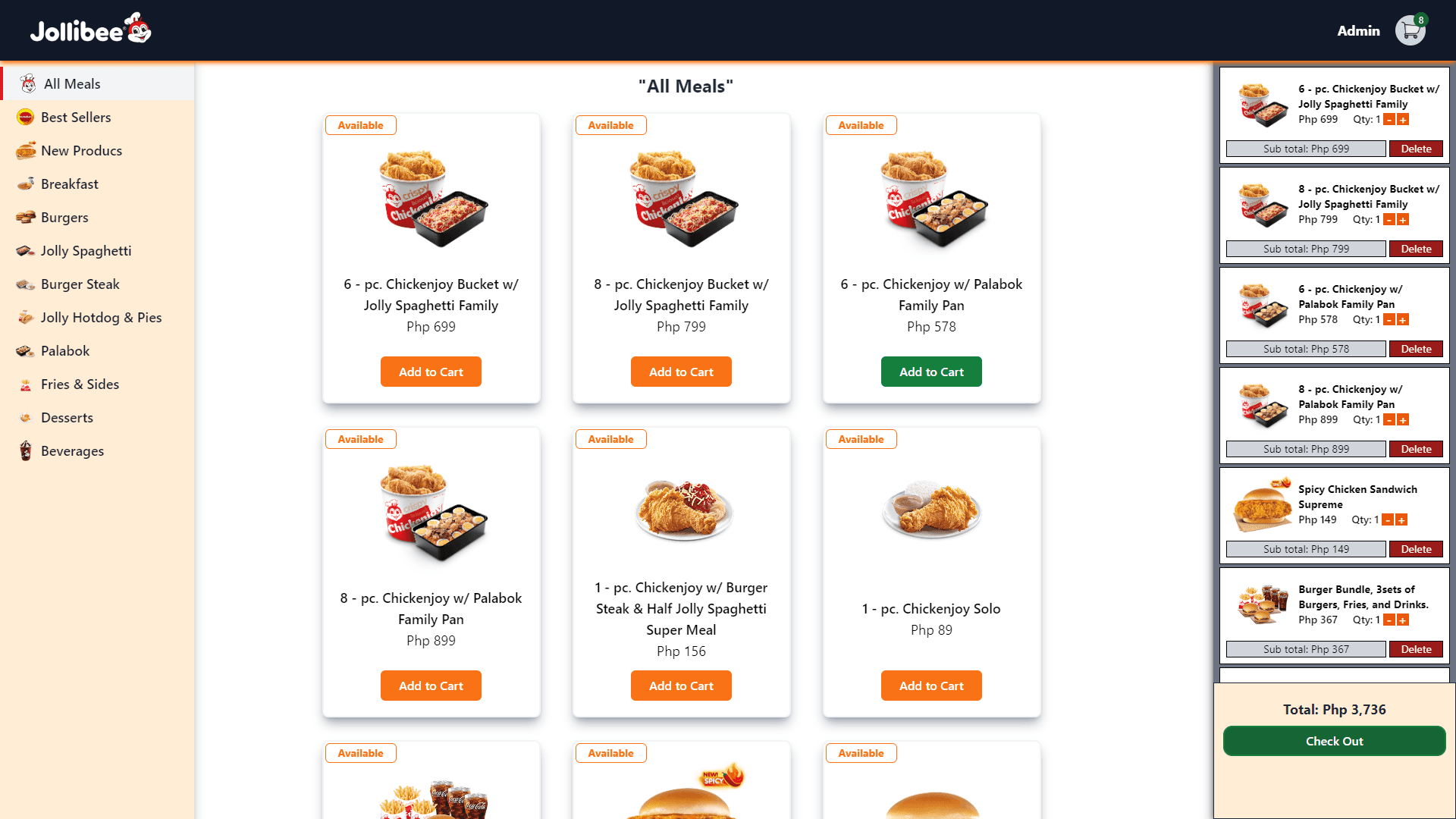
Ordering Application Remake
I've recreated my ordering application, inspired by Jollibee's menu. It still boasts a user-friendly interface that is easy to use. I developed it using ReactJS, TailwindCSS, NodeJS, ExpressJS, and MySQL, all connected via a REST API. I improved its design to make it look simpler and more elegant. In the cart, it still has the same features, but when you click the checkout button, it will now deduct the quantity per item from the total quantity per item in the database. When the total quantity of a specific item reaches zero, there will be an indicator that it is sold out, and it cannot be added to the cart if it is sold out. It also has an admin page where you need to log in to gain access. On the admin page, you can see the list of all items, and you can also add, edit, and delete items. It has a search feature to easily find items.
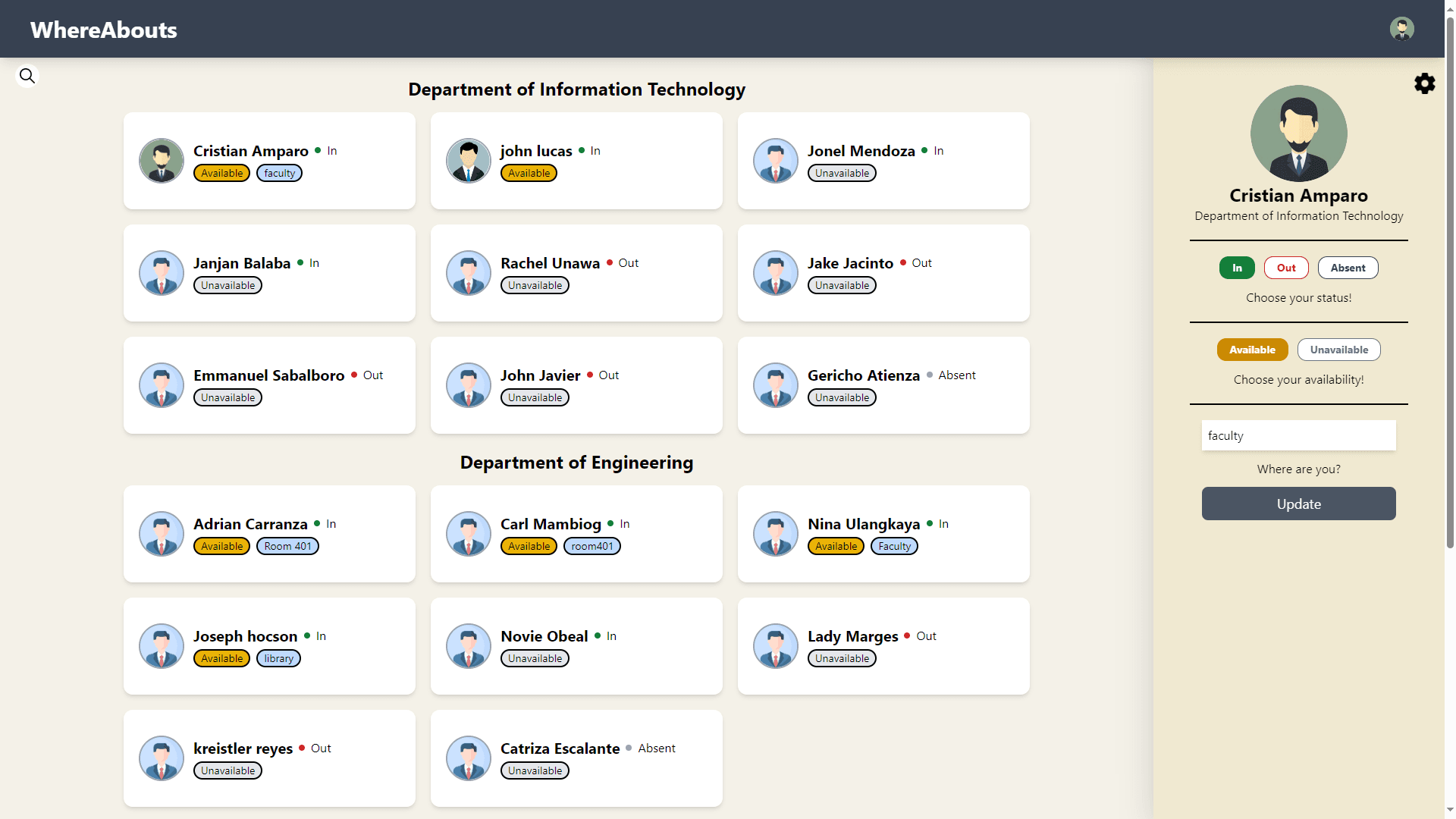
WhereAbouts Remake
The upgraded "Faculty Whereabouts" app simplifies communication between faculty and students. Faculty members has profile management feature, where they can update their status, availably, and location. In this remake, i used ReactJS, ExpressJS, NodeJS, MySQL and maintained smooth communication through a REST API. I improved the profile management feature and make it cleaner and simpler. I also updated the logic, where when the faculty selected the out or absent status, it will automatically make the availability into unavailable and location to empty.
Personal Portfolio
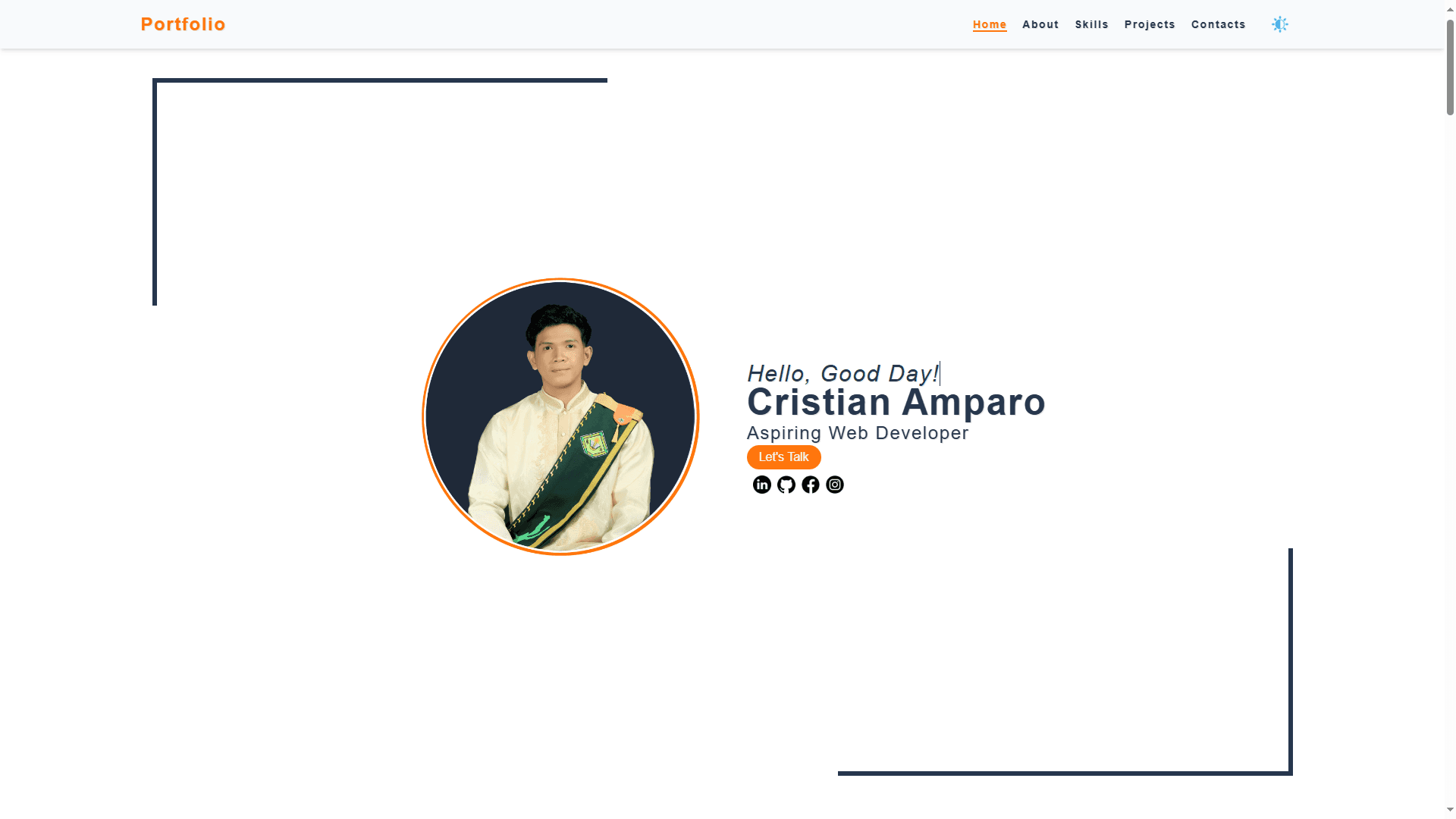
I've created a dynamic one-page website that serves as a showcase of my professional journey. It's a platform where I highlight my skills, projects, and provide easy access to my contact information. This website is designed to present my professional identity in a way that's both engaging and effective. Within this single page, I've curated sections that offer a comprehensive overview of who I am. There's an "About Me" section that provides an introduction, followed by a showcase of my skills and a display of my projects. Additionally, I've made sure to include my contact details for easy reach. Navigation is made seamless through a user-friendly menu bar. Users can effortlessly move between sections by simply clicking on the respective links. This feature enhances the browsing experience, ensuring a smooth transition from one section to another. To ensure a visually appealing and user-friendly experience, the website employs a smooth scrolling behavior. This creates a sense of continuity and keeps the user engaged as they explore the content. One of the key aspects I focused on is responsiveness. The website is designed to adapt flawlessly to various screen sizes and devices. Whether it's a desktop, tablet, or mobile phone, visitors will have an optimal viewing experience. I understand the importance of personalization, which is why I've implemented both dark mode and light mode options. Users can choose the mode that suits their preference, enhancing their overall browsing experience. For direct communication, I've integrated an email form. This feature allows visitors to send messages directly to my email account. It's a streamlined way for potential clients or employers to get in touch with me. The best part is, upon submitting the contact form, the message is automatically routed to my email, ensuring that I receive it promptly.
Faculty WhereAbouts
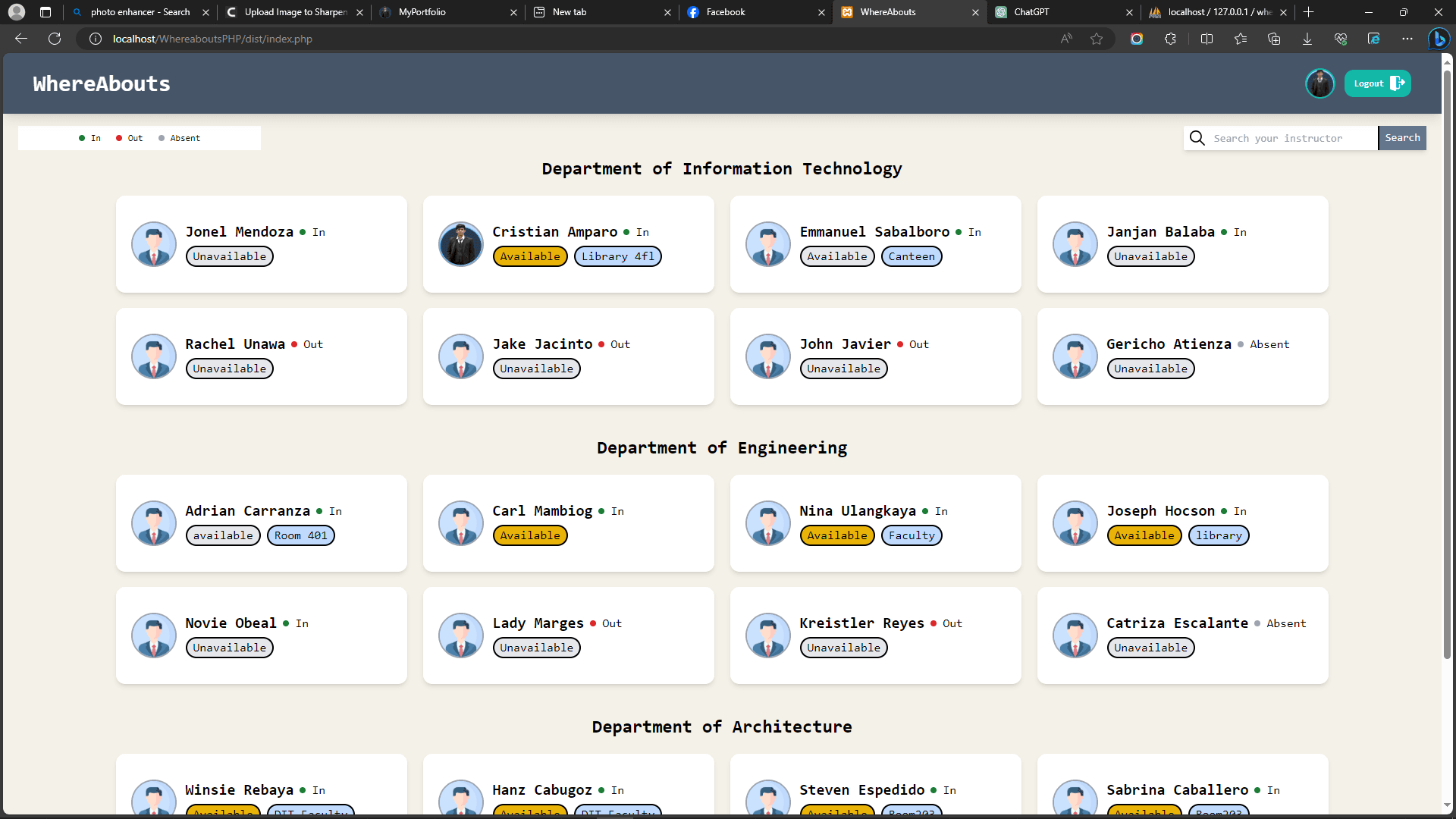
The "Faculty Whereabouts" application serves as a convenient platform designed to facilitate communication between faculty members and students. Its primary function is to provide easy access to information regarding the status, availability, and current location of faculty members within the institution. This application caters to two distinct user groups: faculty members and students. Faculty members have the privilege of accessing a personalized dashboard upon successful registration and login. Within this dashboard, they can efficiently manage their status updates, edit profile details, and even modify their login credentials to ensure security. On the other hand, students are provided with a simplified dashboard where they can effortlessly navigate and explore the whereabouts of every faculty member. The application offers a search functionality, enabling students to quickly locate specific faculty members they wish to inquire about.
Static Landing Page
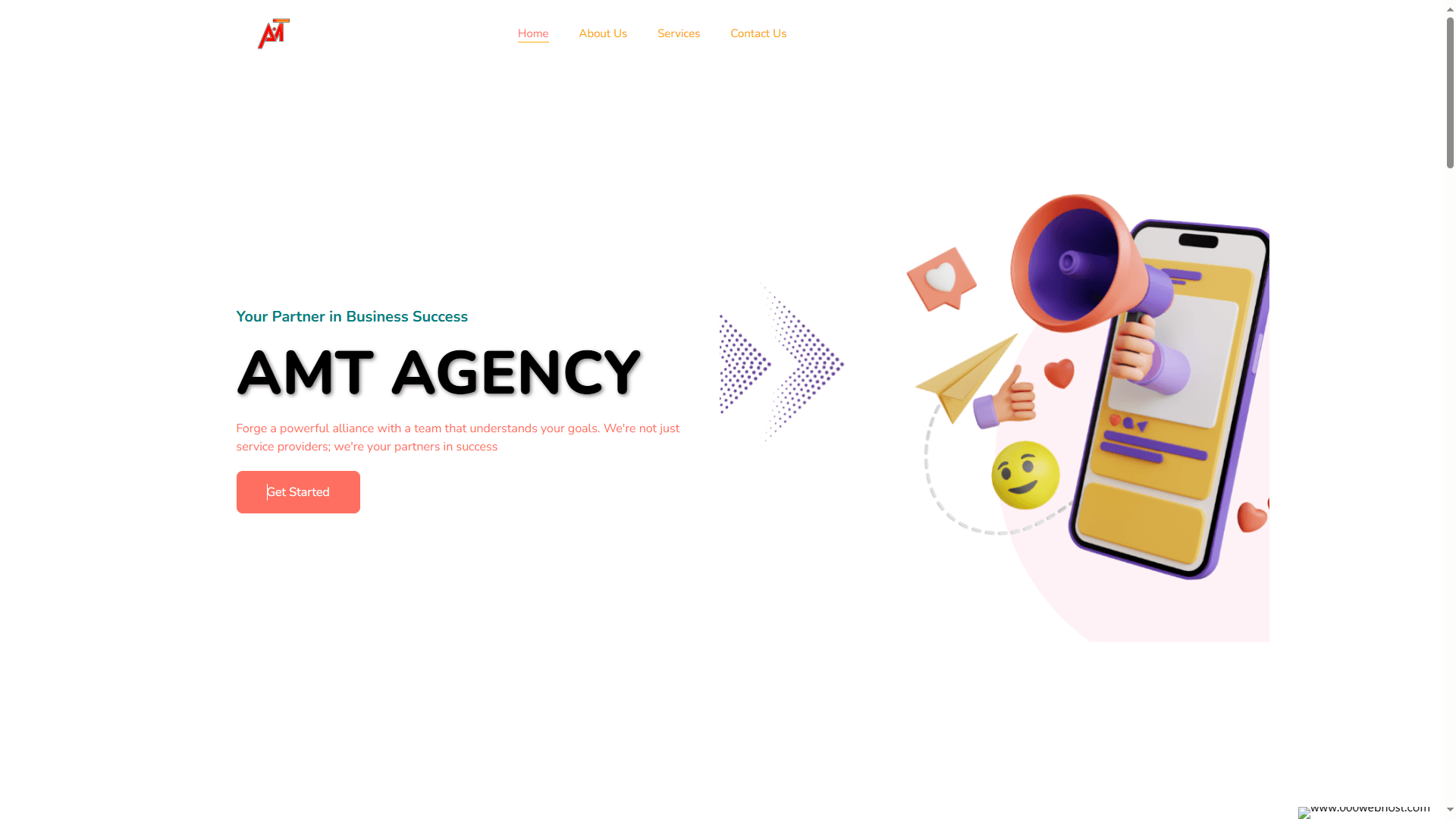
I created a visually appealing and user-friendly landing page using HTML, Tailwind CSS, and JavaScript. The project incorporates libraries such as Animate on Scroll (AOS) to add smooth and engaging animations as users scroll through the content, and Swiper to implement an interactive and touch-friendly carousel. These elements enhance the overall user experience, making the landing page both dynamic and engaging. The design emphasizes a clean and modern aesthetic, with a focus on intuitive navigation and visually striking elements.To ensure a seamless experience across all devices, I made sure that all pages are fully responsive. I meticulously maintained consistency in padding, font sizes, and color usage, which contributes to a cohesive and professional look. Tailwind CSS allowed for efficient styling and easy adjustments, ensuring that the design remains flexible and adaptable. The end result is a landing page that is not only visually consistent and appealing but also provides an excellent user experience across different screen sizes and devices.
Ordering Application
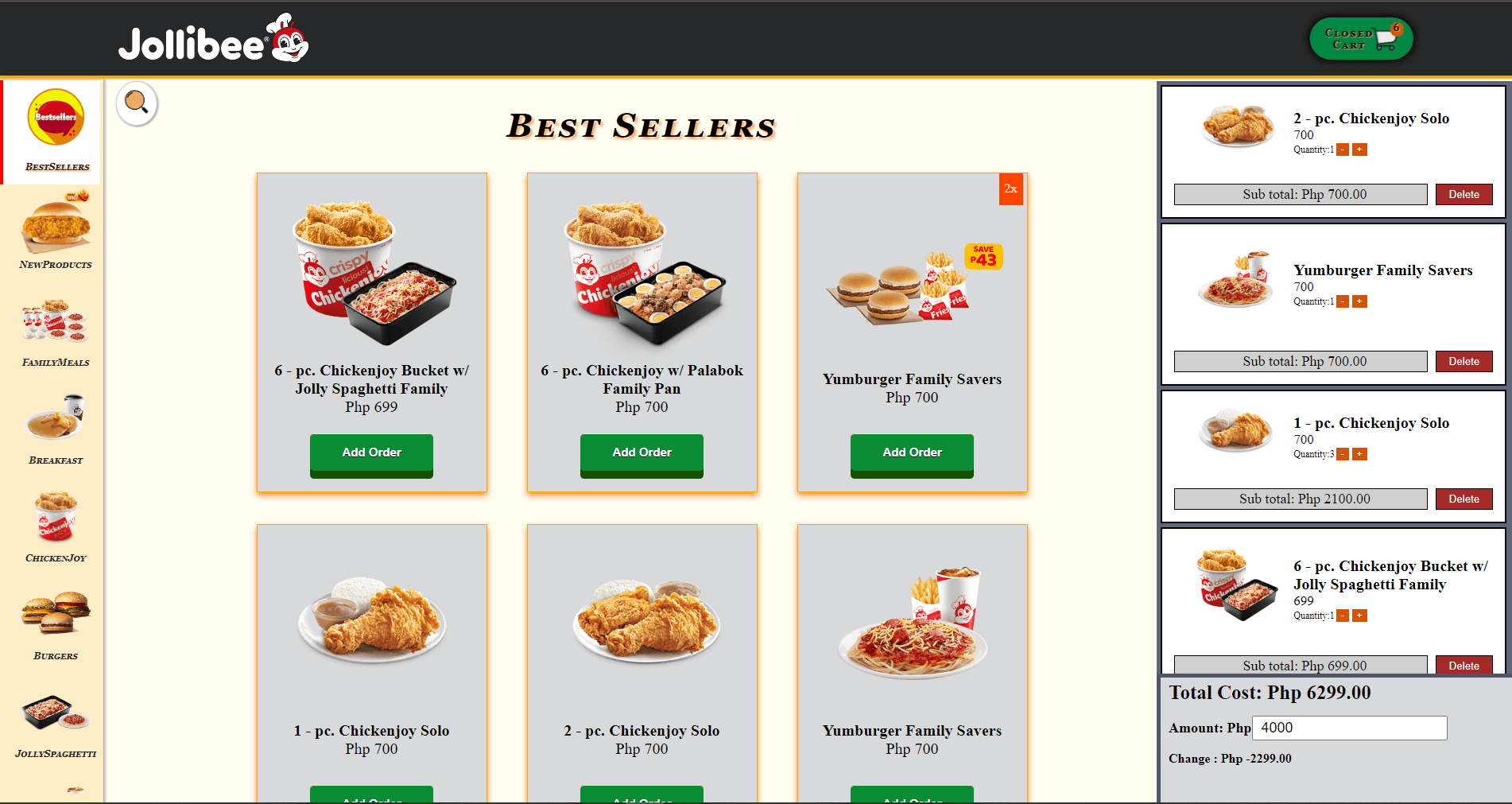
I've developed an ordering application inspired by the Jollibee menu, streamlining the process for users to place orders effortlessly. With a user-friendly interface, customers can add items to their order with a simple click of the "add order" button associated with each item. The application incorporates a convenient sidebar that displays all available categories, allowing users to easily navigate through the menu. Additionally, a robust search feature is implemented for swift and precise searches for specific items. Once users have selected all the items they desire, a dedicated cart section provides a detailed overview. Here, they can adjust quantities, remove specific items, and observe the subtotal for each order, calculated by multiplying the item price by the quantity. The section also presents the overall total, ensuring users have a clear view of their total order amount. For added convenience, users can input the amount they intend to pay. Upon submission, any change due is promptly displayed, enhancing transparency in the transaction process. Recognizing the importance of accessibility, this application is designed to be fully mobile-responsive. Users can easily access and navigate the platform through various mobile devices, ensuring a seamless experience regardless of the screen size.